

Prepare your payroll data for AI
AI payroll tools do not read unstructured spreadsheets; they ingest structured datasets. Before deploying automation, you must audit and standardize your employee records, tax codes, and compensation history. Think of your data as the foundation of a house: if the base is uneven, the AI’s calculations will crack, regardless of how advanced the software is.
Start by consolidating disparate sources. If your time-tracking, benefits, and payroll systems are siloed, AI cannot accurately predict liabilities or flag anomalies. Merge these into a single source of truth. Ensure every employee record contains unique identifiers, consistent job titles, and up-to-date tax withholding elections. Missing or duplicate records cause the most common implementation failures.
Next, clean your historical data. AI models rely on patterns in past transactions to forecast future liabilities. Remove legacy entries, correct misclassified contractors, and standardize currency formats. Inconsistent data leads to garbage-in, garbage-out results, where the system automates errors at scale.
AI models require structured, clean data. Garbage in, garbage out applies strictly to payroll algorithms.
Once your data is clean, map it to the specific fields required by your chosen AI provider. Most platforms have strict schema requirements for employee IDs, pay frequencies, and tax jurisdictions. Misalignment here will halt the onboarding process. A well-structured dataset reduces manual intervention and minimizes the risk of errors, potentially improving payroll accuracy by up to 20% according to industry reports.
Verify the integrity of your cleaned data by running a parallel test. Process a single pay cycle manually alongside the AI tool. Compare the outputs. If the numbers diverge, trace the discrepancy back to the source data, not the algorithm. This step confirms that your foundation is ready for automation.
Select an AI payroll platform
Choosing the right vendor requires balancing two competing demands: rigid compliance and flexible integration. In 2026, AI payroll systems must handle multi-step tasks independently, flagging anomalies and running compliance checks without constant human intervention. However, the platform is only as effective as its connection to your existing HR and finance stack.
Prioritize vendors that demonstrate agentic AI capabilities. These systems do not just process data; they actively reroute exceptions and adapt to changing regulations. According to industry analysis, platforms leveraging agentic AI significantly reduce the manual oversight required for complex payroll runs [src-serp-4].
Use the comparison below to evaluate top-tier options based on compliance automation depth and integration breadth. Focus on how each vendor handles state-specific tax updates and API connectivity with major ERP systems.
| Vendor | Compliance Automation | Integration Depth | AI Capabilities |
|---|---|---|---|
| Vendor A | Automated state/local tax updates | Native API for major ERPs | Anomaly detection & exception routing |
| Vendor B | Manual rule updates required | Limited third-party connectors | Basic error flagging |
| Vendor C | Real-time regulatory tracking | Full HRIS/Finance suite sync | Predictive analytics & earned wage access |
| Vendor D | Quarterly compliance patches | Standard payroll APIs | Automated data entry |
Verify that the platform’s AI features align with your specific operational pain points. If your primary goal is reducing manual intervention, look for systems that offer automated processing with minimal human oversight [src-serp-4]. If compliance complexity is the main hurdle, ensure the vendor provides real-time regulatory tracking rather than periodic updates [src-serp-2].
Configure automated compliance checks
AI payroll systems reduce penalty risks by continuously monitoring regulatory changes. Instead of manual audits, the software flags discrepancies in real time as tax laws and labor standards shift. This setup requires precise configuration of your compliance engine to ensure it aligns with current federal, state, and local requirements.
1. Define jurisdictional tax rules
Map every jurisdiction where you have employees. AI compliance engines need explicit boundaries to apply the correct withholding rates. Input current federal, state, and local tax codes. Update these parameters whenever legislation changes. The system uses these rules to calculate accurate withholdings automatically.
2. Integrate labor law parameters
Configure overtime, minimum wage, and leave policies. AI payroll tracks hours worked against these legal thresholds. Set up rules for exempt vs. non-exempt employee classifications. The system flags potential violations before payroll runs. This prevents costly errors related to wage and hour laws.
3. Set up real-time audit alerts
Enable automated notifications for compliance deviations. The AI monitors payroll data against your defined rules. It sends alerts for unusual patterns or potential violations. This proactive approach allows you to correct issues before they become penalties. Regular audit trails provide documentation for regulatory reviews.
4. Test with historical data
Run a simulation using past payroll periods. Compare the AI-generated results against your previous manual calculations. Identify any discrepancies in tax withholdings or labor law compliance. Adjust the configuration until the AI matches your expected outcomes. This step ensures the system is ready for live deployment.
Run parallel processing tests
Before switching off your legacy system, you must run AI payroll automation in parallel with your manual or existing processes. This side-by-side comparison is the only way to verify that the AI model calculates taxes, deductions, and net pay with 100% accuracy against known benchmarks. Without this validation phase, you risk deploying a system that introduces subtle errors into employee compensation, which can lead to compliance violations and loss of trust.
Start by selecting a representative pay period—ideally one with complex variables like overtime, bonuses, or new hires. Run the full payroll cycle through both the AI system and your current manual or legacy method. Do not skip steps; let the AI process the data independently without human intervention to test its autonomous logic. Compare the outputs line by line, focusing on tax withholdings, benefit deductions, and final net pay amounts.
According to industry analysis, organizations implementing AI-driven payroll automation have observed significant improvements in accuracy, with some reports citing up to a 20% reduction in errors compared to manual processes (Zalaris, 2026). However, these gains only materialize if the parallel testing phase is rigorous. If discrepancies arise, pause the cutover and investigate the root cause before proceeding. This step ensures that your AI payroll system is not just faster, but also reliable and compliant with local regulations.
Choose a pay period with typical complexity, including overtime or bonuses, to stress-test the system.

Process the selected period through both the AI system and your manual/legacy method simultaneously.
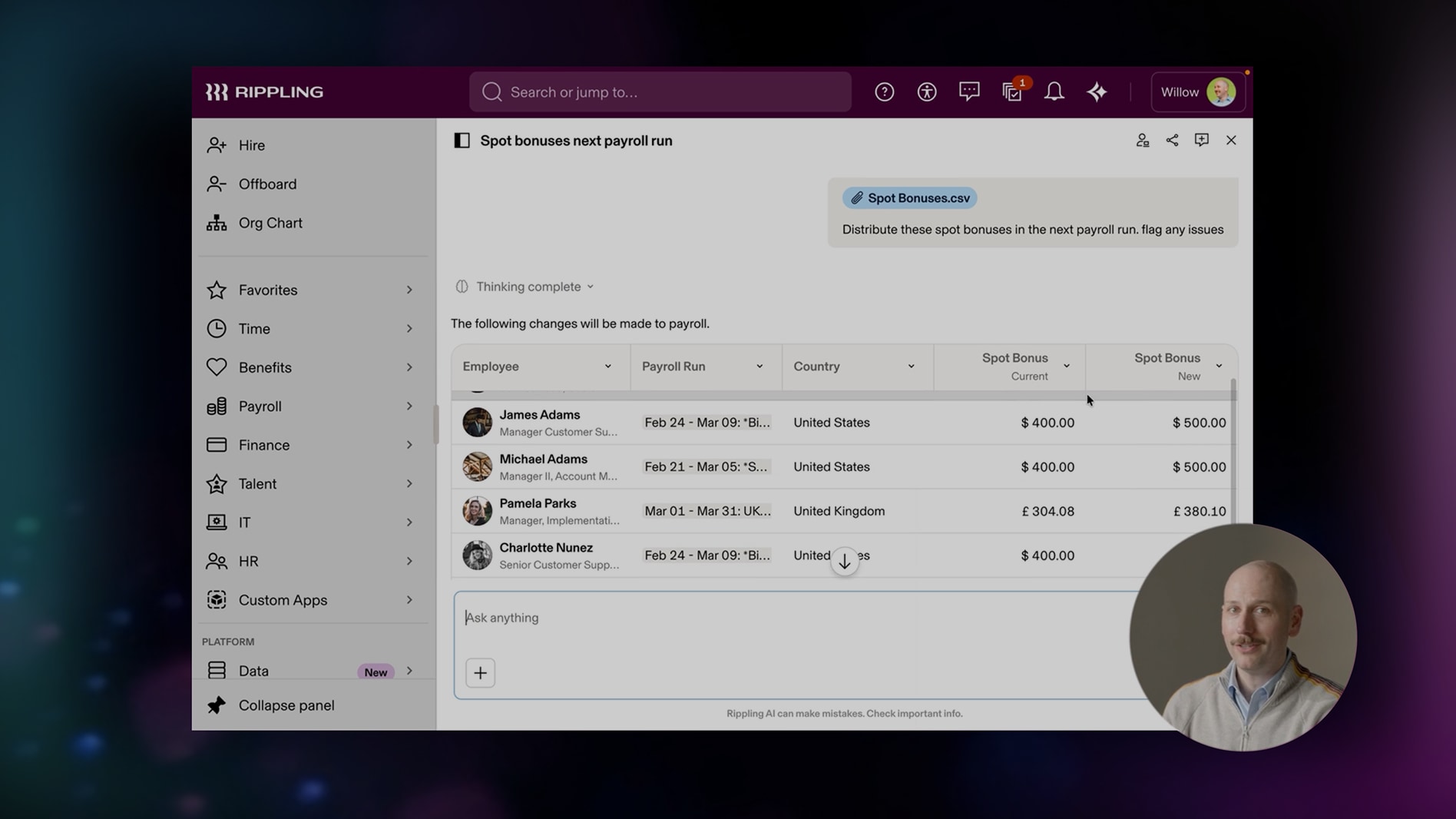
Check tax withholdings, deductions, and net pay for any discrepancies between the two systems.
If errors are found, debug the AI logic, fix the issue, and re-run the test until results match perfectly.
-
Tax rates match current jurisdictional rules
-
Overtime calculations follow labor laws
-
Benefit deductions align with employee elections
-
Net pay matches manual calculation exactly
-
Compliance reports generate correctly
Once the parallel run shows zero discrepancies, you can confidently proceed to the full cutover. This validation step is not optional; it is the safety net that protects your employees and your organization from costly payroll errors.
Monitor and adjust AI outputs
AI payroll systems operate as continuous loops, not one-time setups. Even with agentic AI handling multi-step tasks independently, anomalies will surface. Your role shifts from data entry to exception management and compliance verification.
1. Establish a weekly anomaly review
Set a recurring calendar block to review flagged transactions. AI systems like those described by ADP and other providers flag discrepancies in real-time, but they require human interpretation. Focus on:
- Unusual pay rates: Verify if spikes correlate with approved raises or overtime.
- Missing deductions: Check for sudden drops in tax withholdings or benefits.
- Time entry errors: Look for duplicate clock-ins or impossible hour totals.
Do not assume the AI’s flag is the final answer. Treat it as a lead for investigation.
2. Validate high-stakes decisions
Payroll errors have legal and financial consequences. Implement a "human-in-the-loop" protocol for high-risk items:
- Termination payouts: Ensure final checks align with state laws.
- Bonus calculations: Cross-reference performance metrics with AI-generated figures.
- Tax jurisdiction changes: Confirm AI has updated withholding tables for remote workers.
According to industry analysis, AI can improve payroll accuracy by up to 20%, but this assumes rigorous human oversight of the exceptions the AI cannot resolve.
3. Adjust parameters based on feedback
Payroll rules change. New hires, role changes, and legislative updates require system adjustments. When an AI flag proves to be a false positive, document why. This feedback helps refine the system’s future accuracy. Conversely, if an error slips through, investigate the gap in logic or data.
Maintain a simple log of adjustments and their outcomes. This record becomes your audit trail for compliance and a guide for future training.
Common questions about AI payroll
Implementing AI payroll automation in 2026 addresses specific operational concerns rather than replacing human oversight. The following questions address the most frequent inquiries regarding feasibility and job security.
No comments yet. Be the first to share your thoughts!